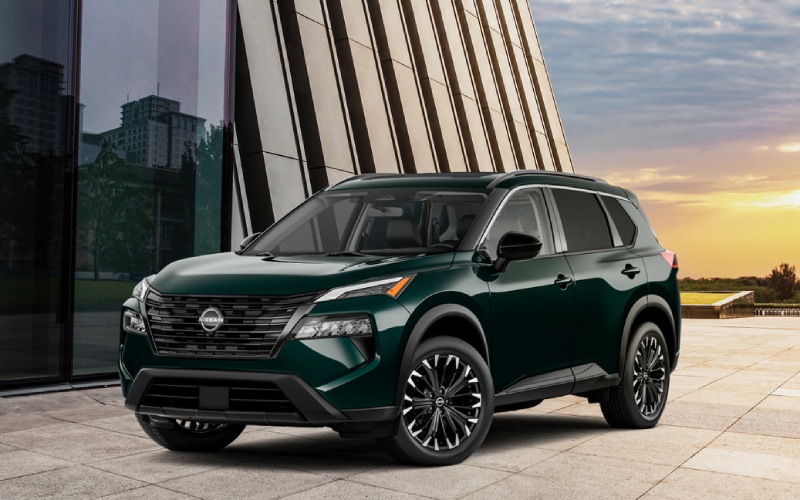
Cardinale Nissan - Google built-in on the 2026 Nissan Rogue — Smarter Errands and Scenic Drives around Carmel Valley, CA
For many drivers, tech isn’t just a perk anymore—it’s central to how we get around. That’s where Google built-in on the 2026 Nissan Rogue stands out. Instead of stopping to pair or fiddle with a phone, you can step in, say where you want to go, and the system gets you there using Google Maps with live traffic awareness. Around Carmel Valley, CA, that matters—whether you’re heading out Carmel Valley Road for a calm morning, crossing Laureles Grade to meet friends, or plotting a back-roads shortcut to miss congestion on your way to Highway 1.
Because the interface is familiar and responsive, it takes very little time to feel confident. Google Assistant responds naturally to voice commands, and the available 12.3-inch high-resolution touch-screen works intuitively when you prefer taps and swipes. The result is a seamless, quick interaction that keeps your focus on the drive instead of on a screen.
What Google built-in Adds to Everyday Driving
Google built into the Rogue brings native access to Google Maps, Google Assistant, and Google Play right to the vehicle. That means fewer steps and fewer distractions. You can ask for directions, adjust climate settings, place a call, or queue up a podcast—by voice—without digging for your phone. Planning a run to the farmers market, school pick-up, then a detour through wine country? Just say the word. Google Maps will route you through town efficiently and help you identify nearby stops, all while the available Wi-Fi Hotspot keeps passengers connected along the way.
Unlike simple mirroring solutions, GGoogle'sbuilt-in is designed to live in the Rogue’s interface. It taps into vehicle data to make navigation and route timing feel smarter, and it’s available alongside helpful options like the Bose® Premium Audio System, wireless Apple CarPlay® and Android Auto, and the 12.3-inch digital dashboard. You get a refined, cohesive experience that ties your route guidance, media, and voice control together.
Voice Control That Feels Natural
With Google Assistant, you can simply say, “Hey Google, navigate to Garland Ranch Regional Park,” and the route appears with real-time traffic visualization. If you forgot to adjust your cabin temperature before setting off on a sunny afternoon, ask Google to lower it a couple of degrees. If your hands are full planning a multi-stop errand run, call out the next destination and keep moving. This natural, hands-free control is the real advantage—it keeps your mind on the road and your hands on the wheel.
Because the assistant recognizes common phrases and context, you don’t have to remember exact commands. You can even ask for points of interest—coffee, groceries, a scenic overlook—and filter on the fly. Around Carmel Valley, that means fewer U-turns, less backtracking, and on-time arrivals when you’re meeting friends or booking a tasting.
How It Fits Longer Trips and Local Nuances
When you venture farther—say, up through the hills toward the coast or out past wine country—Google Maps can proactively reroute based on changing conditions. If you need parking help once you’re in a tighter coastal area, the Rogue’s available 3D Enhanced Intelligent Around View® Monitor with Invisible Hood View is a welcome teammate. You get a stitched, rotating perspective of your surroundings and a clear view of what’s directly ahead of the front wheels to help avoid scuffs on curbs and low obstacles. It’s an ideal pairing with Google built-in: smart navigation to arrive smoothly and smart cameras to park with confidence.
Safety-wise, the 2026 Rogue also includes standard Safety Shield® 360 for added peace of mind,and available ProPILOT Assist to help you stay centered and smoothly manage distances in traffic. Together, these features reduce friction throughout the day—so you enjoy more of the drive and spend less time juggling tasks.
Tips to Get the Most from Google built-in
- Create driver profiles: Set up personalized Google preferences so routes, recent places, and media follow you when you get behind the wheel.
- Use voice for quick tasks: Ask Google Assistant to call, text, or change climate settings—no menu digging required.
- Download key apps: Add your favorite media and productivity apps from Google Play for an integrated, on-road workflow.
- Leverage live search: For busy weekends, ask for open hours, reviews, and phone numbers before you arrive at a stop.
- Combine with camera tech: Arrive with Google Maps, then use the available Around View® Monitor to handle tight parking gracefully.
Some shoppers ask how Google built-in differs from wireless Apple CarPlay® and Android Auto. The short answer is that Google built-in is natively integrated into the vehicle—your navigation, settings, and apps are right there without depending on your phone. Meanwhile, CarPlay and Android Auto are still great options for bringing your phone’s ecosystem into the vehicle. Many drivers use both: Google built-in for everyday navigation and voice control, with wireless mirroring when they want certain phone-first apps.
If you’re also considering weather or terrain, Intelligent All-Wheel Drive is available on the Rogue and works hand-in-hand with user-friendly drive modes. Auto, Eco, and Sport modes come standard; Snow and Off-Road modes are included with available AWD for traction in changing conditions. Add Google built-in, and you have a cockpit that feels like a helpful co-pilot from neighborhood streets to scenic routes.
Frequently Asked Questions:
Do I have to connect a phone for Google built-in to work?
No. Google built-in operates natively in the Rogue. You can sign in with your Google account for personalization, but core navigation and assistant functions do not require ongoing phone connectivity.
Can I still use Apple CarPlay® or Android Auto?
Yes. Wireless Apple CarPlay® and Android Auto are available, so you can mirror your phone when you prefer, and still keep Google built-in ready for native use.
Does Google built-in support voice commands beyond navigation?
Absolutely. You can ask Google Assistant to control certain in-vehicle functions, make calls, send messages, and manage media—hands-free.
How does this help on unfamiliar roads?
Google Maps provides real-time traffic insights, proactive rerouting, and clear lane guidance. Combined with the available Around View® Monitor, it makes unfamiliar areas less stressful to navigate and park.
What if multiple drivers share the Rogue?
You can create and switch profiles so each driver’s preferences, favorite places, and display settings are ready when they start the vehicle.
If you’re comparing trims and options, focus on pairing Google built-in with the larger display setup and consider adding ProPILOT Assist if you often drive in stop-and-go traffic. Together with the Rogue’s quiet ride, flexible cargo space, and comfortable seating, this tech-forward setup turns even routine errands into easy, efficient trips. That’s exactly the kind of everyday win the Rogue was built for.
When you’re ready to take a closer look, schedule a drive and try a real-world route that includes tight parking and a quick run through town. You’ll see how naturally the interface responds and how it pairs with the Rogue’s available camera tech to take the stress out of getting there—and getting parked. Cardinale Nissan is serving Carmel Valley, Carmel Highlands, and Pacific Grove with friendly guidance and a transparent, modern buying experience. We’re happy to help you choose the configuration that fits your day-to-day and the longer adventures you’ve got planned.
Google built into the 2026 Nissan Rogue isn’t about more tech for its own sake—it’s about fewer steps, clearer directions, and a ride that stays calm while you stay connected. If that sounds like the kind of co-pilot you want for your drives around Carmel Valley, this SUV is ready to meet you where you live.